We Gave Semantic Search To a Sandbox Agent
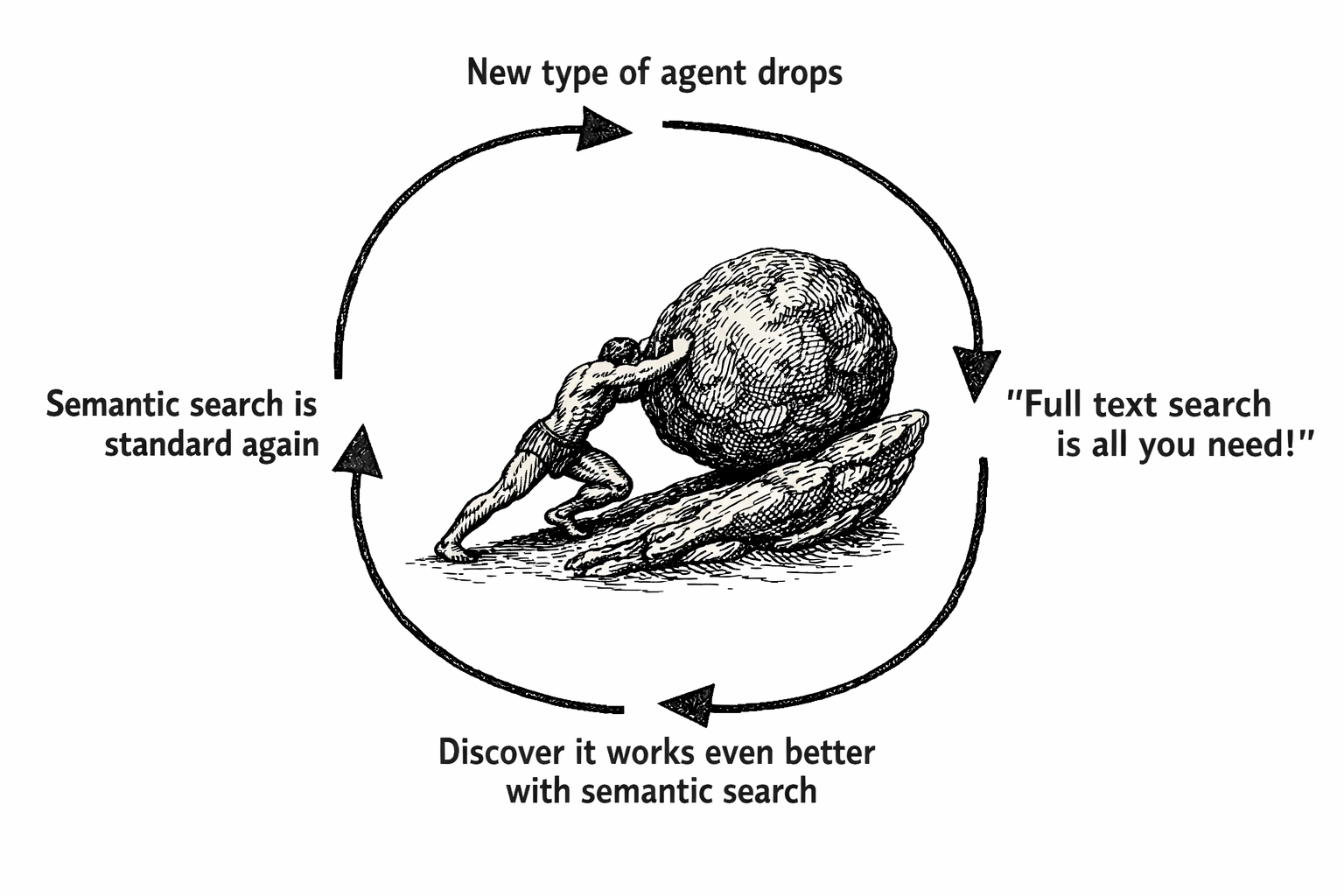
We created our own sandbox agent and found that it works really well on search tasks.
Whether an agent uses tools, sub-agents, sandboxes, or any new harness — they are fundamentally doing information retrieval. Sandbox agents work even better when you give them semantic search over their own filesystem. We tested this with text-to-SQL, and stronger retrieval inside the sandbox eliminated lexical guesswork and the agent gave correct answers 20% more often.
We care a lot about search and search agents. Whenever we learn of a new exotic agent architecture, we immediately throw it at the hardest retrieval problems we can find. We’re especially excited about coding agents for search. This appreciation grew out of our experiments: one of the most consistent factors that improves an agent’s capability is its ability to compose its tools in the terminal or a programming environment like Python. Sandboxes are the best way to bring this capability to all agents — not just the ones in your terminal.
We’ve been experimenting with text-to-SQL too, so we were inspired to build our own agent closely following their architecture. Similar to theirs, we gave our agent access to a sandbox via an execute_bash tool, and a database via execute_sql.
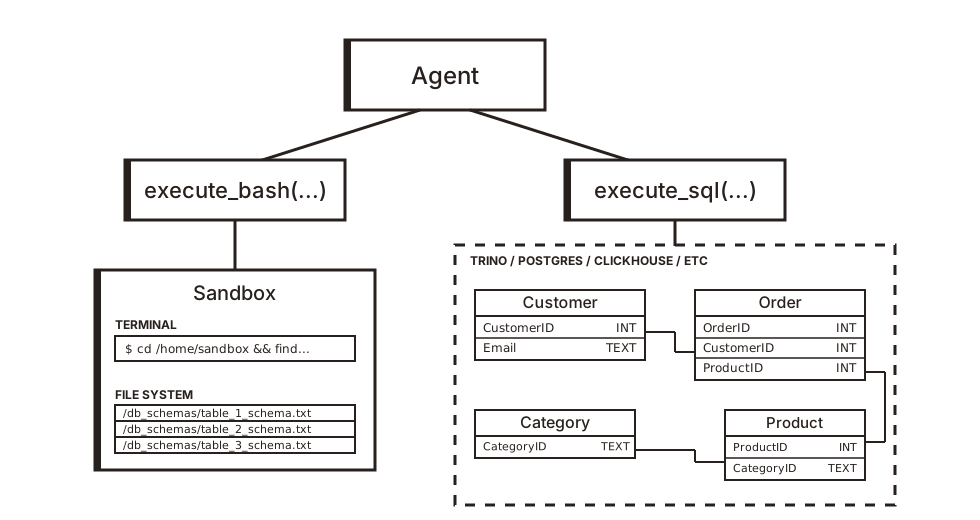
Each sandbox contained Markdown files in its filesystem with all the information it needed to work with the databases. Most databases have an information_schema table that describes all tables and columns in the database. We generate detailed files for the agent’s semantic layer from this schema data: the tables it can access, the relationships between them, and other documentation.
The goal is to make the right facts easier to retrieve without adding bloat to the context, increasing cost and latency while decreasing the model's cognitive ability.
$ ls db_schemas
accounts.md
monitoring.md
platforms.md
profiles.md
...

$ cat db_schemas/accounts.md
Table: accounts
Columns:
  - acct_ref: text (NOT NULL)
  - plt_key: text (NULL)
  - OrigStamp: date (NULL)
  - AGE_D: bigint (NULL)
  - StateFlag: text (NULL)
  - acct_form: text (NULL)
  - VerifyMark: text (NULL)
  - ProfileScore: real (NULL)
Foreign Keys:
  - plt_key -> platforms(PLT_CODE)
Notes:
 - AGE_D stands for "Age in Days."
 - 0 <= ProfileScore <= 1
 - StateFlag: Valid values include Active, Deleted, Suspended, Dormant
...
We ran benchmarks on synthetic datasets we generated and public text-to-SQL datasets like LiveSQLBench. In the benchmark, we initialize the database with predefined tables and rows.
CREATE TABLE public.accounts (
    acct_ref text NOT NULL,
    plt_key text,
    ...
);

INSERT INTO public.accounts ...;
INSERT INTO public.accounts ...;
INSERT INTO public.accounts ...;
...
Next, we ran our dataset of user queries on the agent and measured how accurately it answered each question. The difficulty ranged from single-table aggregations to joins across many tables, subqueries, and window functions.
| instance_id | database | query | ground_truth_sql |
|---|---|---|---|
| solar_panel_1 | solar_panel | How likely is it that a newly installed solar panel will reach maximum efficiency within 90 days? | SELECT COUNT(*) FROM...; |
| solar_panel_2 | solar_panel | I need to know the average output of solar panel models manufactured after 2020. | SELECT AVG(output) FROM panels WHERE...; |
Finally, it summarizes what it found as a single SQL query that can answer the user’s question. We then compare this generated query to the ground truth query.
Out of the box, we did not get the performance on our benchmark that we wanted to see. When we inspected the agent traces, we saw the agent repeatedly run into the lexical mismatch problem.
In each trace, the agent initially explored its filesystem, mostly using grep, ls, and cat. Next, it used SQL to sample data and verify join keys before outputting the final answer. About 50% of the commands it used were grep, and about 50% of those greps failed. They returned no results because the agent used the wrong keywords.
This is the same pattern we’ve always seen with tool-calling agents, then coding agents, and now sandbox agents. From prior work, we learned that dense vector search alone—even with tiny embedding models—is very effective for this category of tasks.
We modified the agent's sandbox. We swapped out some of its bash tools for new versions powered by semantic search to give it the edge it needed to discover information it would not have found otherwise.
We experimented with replacing many utilities, but by far the most effective was grep.
$ tldr grep
Find patterns in files using `regex`es.

- Search for a pattern within files:
    grep "search_pattern" path/to/file1 path/to/file2 ...

- Read data from `stdin` and do not print lines that match a pattern:
    cat path/to/file | grep -v "search_pattern"

- Use extended `regex`es (supports `?`, `+`, `{}`, `()`, and `|`), in case-insensitive mode:
    grep -iE "search_pattern" path/to/file
We replaced native grep with our own Chroma-based grep. It builds a regex index over all files to mimic native grep, while also building a dense vector index. The new grep supported the exact same flags and args, but returned regex search results with close semantic matches injected (highlighted below).
$ grep -i "account" db_schemas ...
/home/sandbox/db_schemas/account_clusters.txt:Table: account_clusters
/home/sandbox/db_schemas/account_clusters.txt:  - acct_bridge -> accounts(acct_ref)
/home/sandbox/db_schemas/accounts.txt:Table: accounts
/home/sandbox/db_schemas/behavioral_scores.txt:  - acct_beh -> accounts(acct_ref)
/home/sandbox/db_schemas/content_activity.txt:  - acct_slot -> accounts(acct_ref)
/home/sandbox/db_schemas/monitoring.txt:  - MonitoredAcct -> accounts(acct_ref)
/home/sandbox/db_schemas/accounts.txt:  - ProfileScore: real (NULL)
/home/sandbox/db_schemas/accounts.txt:  - acct_form: text (NULL)
/home/sandbox/db_schemas/profiles.txt:  - user_profile_ref -> profile_data(profile_id)
After making this change, it performed worse. At first glance, this looked like evidence against semantic search. In reality, it exposed a deeper issue: the agent had no mental model for how to use a hybrid retrieval tool. This wasn’t surprising. We’ve had many similar cases where we give agents objectively better harnesses and tools, only to see them perform worse. It’s rarely possible to optimize agents the same way you would a program. These tools are orchestrated by models, and the model’s behavior strongly affects how effectively it can use them. We heavily use automated prompt optimization techniques like GEPA to make sure the agent’s instructions are never the issue.
In this specific case, the injected semantically relevant results only added noise. The agent incorrectly assumed those columns were relevant. It needed to be instructed on how to reason about its harness.
After optimizing both variants, the agent with semantic grep correctly answered queries 20% more often. The lexical mismatch problem was virtually eliminated. Additionally, it completed its task in 1.5 fewer steps. That means it was cheaper and faster to run. In the text-to-SQL tasks we used, the agent could quickly retrieve everything it needed to answer the question. The new bottleneck became the model’s ability to formulate the correct answer.